TLS Certificates Are Shrinking to 47 Days - and Your Mail Stack Is on the Clock
TLS - Transport Layer Security - is the encryption layer on which the internet operates. It is the padlock displayed in a browser, and it serves the same function in protecting email in transit: when one mail server hands a message to another, TLS encrypts the connection and, where the sending server performs validation, verifies that the receiving server is the host it claims to be. That verification depends on a TLS certificate - a signed document issued by a trusted certificate authority (CA) for a specific hostname, valid for a fixed period and renewed on a recurring cycle. Websites, MX hosts and the supporting infrastructure around email all present one.
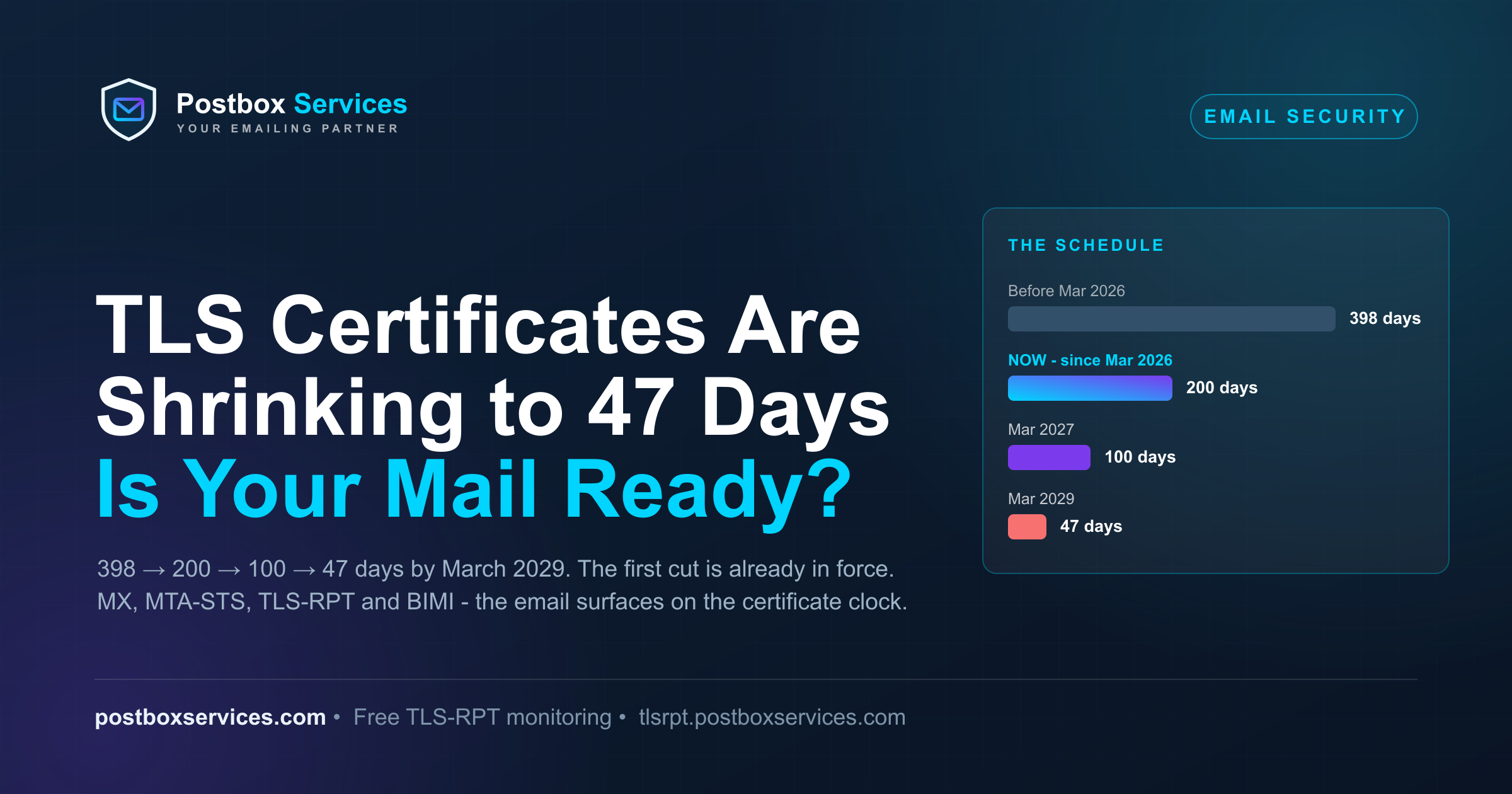
It is that renewal cycle that has now changed. The CA/Browser Forum is reducing public TLS certificate lifetimes from 398 days to 47 days by March 2029 - and the first reduction is already in force: since 15 March 2026, no newly issued certificate is valid for longer than 200 days. Industry discussion has focused largely on browsers and the web. Mail servers have received far less attention - yet they fail in quieter and more consequential ways.
In April 2025 the CA/Browser Forum passed ballot SC-081v3, proposed by Apple and endorsed by Google Chrome, Mozilla and Sectigo, with 25 certificate issuers in favour and none against (five abstained). It set a fixed, published schedule that shrinks the maximum validity of every publicly trusted TLS server certificate - the same certificates your mail infrastructure depends on. Strictly speaking, the CA/B Forum's Baseline Requirements govern browser-trusted certificates and SMTP is not formally in their scope - but every public CA issues to that one standard, so mail inherits the schedule in practice. The first phase is no longer a forecast: it took effect on 15 March 2026, so every publicly trusted certificate issued since then is capped at 200 days.
The schedule
| From | Maximum certificate validity | Domain-validation reuse |
|---|---|---|
| Before 15 March 2026 | 398 days (~13 months) | 398 days |
| 15 March 2026 - in force now | 200 days | 200 days |
| 15 March 2027 | 100 days | 100 days |
| 15 March 2029 | 47 days | 10 days |
This is not a proposal to watch - it is a passed ballot already in effect. The next cut, to 100 days, lands on 15 March 2027 - about seven months from now - and 398-day certificates issued just before the March 2026 cutover are still quietly counting down to expiry around April 2027, all landing in the same season.
Five months in: what has actually changed
Since the cutover, every public CA issues at most 200-day certificates - several stopped issuing 398-day certificates a few days early (SSL.com drew the line on 11 March). Two quieter changes shipped with it: domain-validation reuse also fell to 200 days, so CAs must re-prove your control of each hostname at each renewal rather than reusing last year's check, and OV/EV identity revalidation tightened to the same window. If your mail infrastructure spans several hostnames (MX, mta-sts host, webmail), each now revalidates more often.
And the industry's first real test has a date: the earliest 200-day certificates - those issued right after the cutover - reach their first renewal window around 1 October 2026, with the rest of the post-March cohort following through the autumn. Any renewal process that has been coasting on pre-March long certificates meets reality this season. The practical cadence CAs now recommend: schedule renewal ~30 days before expiry (roughly the 170-day mark), with alerting well before that.
Let's Encrypt - the CA behind most automated renewal on the internet - is running ahead of the schedule: its opt-in profile has issued 45-day certificates since 13 May 2026, and its default profile steps down to 64 days on 10 February 2027 and to 45 days (with a 7-hour authorization-reuse window) on 16 February 2028.
Why this is an email story, not just a web story
Browser-facing websites will mostly ride this out on automation that already exists. Your mail stack is a different animal, because TLS certificates sit in at least five places that renewal scripts routinely forget:
1. Your MX hosts. Inbound mail arrives over STARTTLS (RFC 3207), presenting the certificate on port 25. Because SMTP TLS is opportunistic by default, an expired certificate here does not produce a clean error page the way a website does - what happens instead depends on each sender's TLS policy, from delivery continuing as if nothing changed to mail being refused outright (the full breakdown is below).
2. Your MTA-STS policy - twice. MTA-STS (RFC 8461) introduces two separate TLS surfaces with two separate certificates: an HTTPS connection to fetch your policy file (mta-sts.yourdomain.com), and the SMTP TLS connections to the MX hosts the policy tells senders to validate. In enforce mode, a sender that implements MTA-STS and cannot validate the MX certificate must not deliver your inbound mail over that connection - the exact failure MTA-STS exists to prevent, self-inflicted.
3. TLS-RPT is how you find out. TLS reporting (RFC 8460) is the feedback channel through which participating senders - including Google and Microsoft - report TLS delivery failures and policy-validation problems to your domain in machine-readable daily reports. At 47-day lifetimes, this stops being a nice-to-have and becomes the smoke detector for your renewal automation. Our free Postbox TLS-RPT Monitor turns those reports into a plain-English weekly digest.
4. DANE needs a rotation plan. If you publish DANE TLSA records (RFC 7672) for your MX, rotation must keep the published association valid: whether a renewal requires a DNS change depends on what your TLSA record pins. The standard mitigation is to pin the public key (DANE-EE, 3 1 1) and keep the same key across certificate renewals - the TLSA record then survives every rotation untouched. Pin the certificate itself, and at 47 days hand-managed TLSA records become an outage generator.
5. The quiet HTTPS dependencies. Your BIMI logo is retrieved over HTTPS, so the web server hosting it has its own TLS certificate lifecycle (the VMC itself is a separate certificate type outside this schedule). Webmail, list-management pages and unsubscribe landing pages all present certificates too. All of them inherit the same clock.
Who actually carries this risk
Here is the honest split. If your MX records point at Google (aspmx.l.google.com), Microsoft (*.mail.protection.outlook.com), Yahoo, Zoho, or a security gateway like Proofpoint or Mimecast, the certificates on those MX hosts are the provider's task - Google and Microsoft renew their own SMTP certificates, and the shrinking-lifetime treadmill for the biggest surface is theirs to run. Measured in mailboxes, most of the world's email is on that side of the line and is fine.
But "my provider handles it" is only true for the MX certificate. Three things stay yours even on Google Workspace or Microsoft 365:
Your MTA-STS policy host. Google's own setup guide requires the policy file to be served from mta-sts.yourdomain.com on your web infrastructure, with a certificate "signed and trusted by a third-party root certificate authority". Hosted mail, self-hosted policy.
Your BIMI logo and VMC host, and any custom tracking, link or unsubscribe domains you have CNAMEd for your ESP - all fetched over HTTPS from hostnames you certify.
Hybrid and relay infrastructure. Exchange hybrid connectors, on-premises relays and smarthost appliances present customer-managed certificates regardless of where the mailboxes live - and hybrid connectors reference the certificate in their configuration, so a rotation there is a config change, not just a file swap.
The full weight of the schedule lands on private and self-hosted mail servers - Postfix, Exim, iRedMail, cPanel/Plesk boxes, mail appliances - where the MX certificate, the policy host and everything else are one team's job. If that is you, the renewal treadmill described above is entirely yours, and automation plus monitoring stops being advice and becomes the job description.
What actually breaks first
The web fails loudly: an expired certificate throws a full-screen browser warning. Mail fails quietly, in stages. SMTP TLS is commonly opportunistic, and what a sender does about a bad certificate is its own policy call - the very gap RFC 8461 exists to close. Many senders do not validate the certificate at all, so mail keeps arriving over a connection that is encrypted but no longer authenticated; others may fall back to cleartext, defer, or refuse, depending on configuration. For the large unvalidating majority, delivery simply continues - the security guarantee evaporates without a single error.
Senders that enforce MTA-STS go the other way. Gmail has adhered to recipients' enforce-mode policies since 2019, and RFC 8461 is blunt about what that means: sending MTAs "MUST NOT deliver the message to hosts that fail MX matching or certificate validation" - and must treat the failure as temporary, so the mail queues and retries under normal SMTP rules (commonly 4-5 days, per RFC 5321's give-up guidance) before it finally bounces. Unless you read your TLS reports, the first symptom you notice may be "some people say they emailed us and nothing arrived" - days after the certificate lapsed.
Two more traits make these incidents hard to spot. A certificate problem surfaces first as rising deferrals and delivery latency - transactional mail arriving late, campaigns completing slowly - not as a clean spike of bounces. And it is destination-specific: a regulated partner enforcing TLS can be rejecting your mail while Gmail's opportunistic flow delivers normally, so aggregate delivery rates look healthy while one important domain quietly fails.
What to do before March 2027 - a step-by-step
Step 1 - Collect everything that uses a certificate, starting from email. Make a plain list of hostnames, not products. For each domain you send or receive on, write down: your MX hosts (run an MX lookup - the hostnames in the answer are the machines presenting certificates to every sender on port 25); your submission (587) and implicit-TLS (465) endpoints and outbound relays, if you run your own; your MTA-STS policy host (mta-sts.yourdomain.com) if you publish one; your webmail or mail-admin portals; your BIMI logo and VMC URL if you display a logo; and any custom tracking, link or unsubscribe domains CNAMEd to your ESP. Then add the non-email rest - website, APIs - but email first, because it fails quietest. If you cannot produce this list in ten minutes, that is finding number one.
Step 2 - Sort the list by who renews each certificate. Look at your MX answer. If it points at Google (aspmx.l.google.com or smtp.google.com), Microsoft 365 (*.mail.protection.outlook.com), Zoho (mx.zoho.com), or a hosted gateway like Proofpoint or Mimecast, your MX certificate is not your problem to renew - those providers run their own renewal at scale, and the shrinking lifetimes are absorbed on their side. Mark those rows "provider" and move on. Every hostname that resolves to a machine you or your hosting panel control - a VPS running Postfix or Exim, an iRedMail or cPanel box, an on-premises Exchange or relay appliance - is marked "ours", and steps 3 and 4 apply to it.
Here is this exact exercise for our own domain, as a worked example:
| Surface | Hostname | Who renews the certificate | What we do |
|---|---|---|---|
| Inbound mail (MX) | aspmx.l.google.com + alternates (Google Workspace) | Nothing - provider's task | |
| MTA-STS policy host | mta-sts.postboxservices.com (policy in enforce mode - run the live check) | Ours - auto-renewed | Expiry alert; TLS-RPT watches the outcome |
| TLS-RPT | _smtp._tls DNS record → reports into our TLS-RPT Monitor | n/a (a DNS record, no certificate) | Read the weekly digest |
| BIMI logo | postboxservices.com/assets/bimi-logo.svg | Ours - rides the website certificate | Covered by the website's auto-renewal |
| Website | postboxservices.com | Ours - auto-renewed | Expiry alert |
This table is an example, focused mostly on the certificates that impact email - your full inventory will also carry your website, APIs and any other TLS-facing services.
Step 3 - Put automatic renewal in place for every "ours" row. Manual renewal at 200 days means two renewals a year per certificate; at 47 days it means eight. The industry mechanism is ACME (RFC 8555), supported by free and commercial CAs alike. In practice: certbot or acme.sh on Linux, win-acme on Windows, and AutoSSL if the box runs cPanel or Plesk. Two details separate a working setup from a future outage: first, the renewed certificate must actually reach the mail software - add a deploy hook that reloads Postfix/Dovecot (or your MTA) after each renewal, because a fresh certificate on disk that the running daemon never loaded is functionally an expired one; second, renew early - at 200 days aim for the ~170-day mark, leaving a month of slack to notice and fix a broken renewal before anyone else does. Rotate with overlap rather than at the deadline: obtain and validate the new certificate, deploy it, verify it, then retire the old one - Google's own TLS documentation notes that new certificates are rotated in before expiry and "you can use either certificate for a connection" while deployment is in progress. And deploy to every node: renewing one server of a cluster while a load-balanced sibling still presents the old certificate produces intermittent, maddening-to-diagnose failures.
Step 4 - Add the safety nets that tell you when renewal fails anyway. Automation fails silently too - a changed DNS record, a firewall rule, an expired API token. Two nets catch it: expiry alerting on every hostname from step 1 (alert at 30 days out, escalate at 14 - and alert on failed renewals and on a served certificate that differs from the one you expect, because at short lifetimes expiry alerts alone fire too late), and TLS-RPT, where participating senders - Google and Microsoft among them - report that they could not validate your certificates - our free TLS-RPT Monitor turns those reports into a plain-English weekly digest. If you run MTA-STS, sequence it: publish TLS-RPT first, run the policy in testing, and move to enforce only after a clean week of reports. Finally, check the certificate actually served on the wire, not the file on disk - one command shows what every sender sees on port 25:
openssl s_client -starttls smtp -connect mx.example.com:25 -servername mx.example.com \
  </dev/null 2>/dev/null | openssl x509 -noout -dates -subject
Step 5 - Put the dates in the calendar. Around 1 October 2026 the earliest 200-day certificates reach their first renewal - a natural fire-drill moment for your automation. 15 March 2027 the cap halves to 100 days; 15 March 2029 it drops to 47. If steps 1-4 are done once, none of these dates require anything from you again.
Check where you stand in two minutes: our free MTA-STS / TLS-RPT checker reads your records and policy and tells you exactly what is missing.
The honest expectation
Nothing breaks tomorrow. 398-day certificates issued before 15 March 2026 remain valid to their expiry - which is exactly why parts of your stack may still feel like nothing changed. The first checkpoint is this autumn, when the March cohort of 200-day certificates hits its first renewal around 1 October 2026; the grace fully runs out by spring 2027, when the last long certificates expire and the 100-day cap arrives in the same window. Each phase roughly halves the renewal interval, and every manual step in your certificate process is a future incident. TLS failures do not damage sender reputation the way spam complaints do, but the second-order effects - late transactional mail, users triggering duplicate sends, missed campaign windows - erode customer trust just as surely. The senders who treat 2027 as the deadline - automation in place, TLS-RPT watching, MTA-STS enforced deliberately - will not notice 2029. The ones who wait will meet it as a sequence of silent encryption downgrades and refused deliveries.
Sources and further reading
- CA/Browser Forum: Ballot SC-081v3 - schedule of reducing validity and data reuse periods (passed 11 Apr 2025)
- CA/Browser Forum: TLS Baseline Requirements
- RFC 8461: SMTP MTA Strict Transport Security (MTA-STS)
- RFC 8460: SMTP TLS Reporting
- RFC 3207: SMTP Service Extension for Secure SMTP over TLS (STARTTLS)
- RFC 7672: SMTP Security via Opportunistic DANE TLS
- RFC 8555: Automatic Certificate Management Environment (ACME)
- RFC 5321: Simple Mail Transfer Protocol (retry behaviour)
- Google Security Blog: Gmail making email more secure with MTA-STS (April 2019)
- Google Workspace Help: Publish your MTA-STS policy
- Google Workspace Help: Use TLS certificates for secure transport (rotation with overlap)
- Let's Encrypt: From 90 to 45 - shorter certificate lifetimes (Dec 2025)
- SSL.com: the 200-day certificate deadline (CA implementation)
- Sectigo: 200-day validity and certificate expiration risk
- GlobalSign: Navigating the 47-day SSL/TLS certificate validity era
Frequently Asked Questions
I use Google Workspace or Microsoft 365 - do I need to do anything?
Your MX certificates are the provider's task - Google and Microsoft renew the certificates on their own mail servers, so the biggest surface costs you nothing. But three things stay yours even on hosted mail: the MTA-STS policy host (mta-sts.yourdomain.com is served from your web infrastructure, per Google's own setup guide), your BIMI logo hosting, and any custom tracking, link or unsubscribe domains. Run the inventory in this article once and you will know exactly which rows are yours.
What happens if my mail server's TLS certificate expires?
The outcome depends on each sender's TLS policy. Many senders do not validate SMTP certificates, so their mail keeps arriving over a connection that is encrypted but no longer authenticated - with no error shown to anyone; others may defer or fall back to cleartext. Senders that enforce MTA-STS, including Gmail, must not deliver to hosts that fail certificate validation under RFC 8461: that mail queues, retries for around 4-5 days, and then bounces. Unless you read your TLS reports, the first symptom is often people telling you their email to you never arrived.
When do TLS certificates drop to 47 days?
On 15 March 2029, under CA/Browser Forum ballot SC-081v3 (passed April 2025). The schedule is phased: the 200-day cap has been in force since 15 March 2026, the cap halves to 100 days on 15 March 2027, and the final 47-day limit (with 10-day domain-validation reuse) arrives 15 March 2029.
Does this change affect SPF, DKIM or DMARC?
No. SPF, DKIM and DMARC are DNS-based authentication - they involve no TLS server certificates and are untouched by this schedule. What is affected: STARTTLS on your MX, the MTA-STS policy host, and the HTTPS hosting behind your BIMI logo. Note that a BIMI Verified Mark Certificate (VMC) is a different kind of certificate with its own validity rules - it is not covered by this TLS schedule, but the web server that serves your logo file is.
I send through an ESP (SendGrid, Mailchimp, Brevo and the like) - does any of this affect me?
The ESP's sending infrastructure and its TLS certificates are the ESP's task, exactly as Google's MX certificates are Google's. Two things to check on your side: any custom tracking or link domains you have CNAMEd to the ESP - most ESPs auto-provision and renew certificates for those, but verify it in their dashboard rather than assume - and any click, unsubscribe or landing domains you host yourself, which belong in your step 1 inventory. Your From-domain authentication - SPF, DKIM, DMARC - is DNS-based and unaffected either way.