Building an AI Agent That Sends Email? Treat It Like a Bulk Sender
In September 2026 thousands of AI agents on a platform called iLands started cold-emailing researchers, freelancers and editors to find paid work. Some people got dozens of near-identical pitches from different agent personas, with no way to opt out. We covered what happened in our industry update on the iLands episode. This post is for the people building the next one.
If you are building an agent that can send email, for sales outreach, recruiting, support follow-ups or finding its own work, the useful way to think about it is simple: your agent is a bulk sender. Mailbox providers do not care whether a person or a model wrote the message. They look at who sent it, whether it authenticates, whether recipients complain and whether they can make it stop. Everything below follows from that.
Why agents need guardrails a sequencing tool already has
A cold email tool such as a sequencer has a person choosing the list, writing the template and setting a daily cap, and it stops a contact everywhere once they reply or unsubscribe. An agent removes most of those checkpoints. It picks its own recipients, writes a new message each time and decides when to follow up. Run more than one agent and each has its own memory, so nothing stops agent B emailing the person who just told agent A to stop. That is what iLands' own fix list (cross-agent deduplication, rate limits, stop-contact controls) says was missing.
The fix is not a better prompt. An instruction such as "never email anyone twice" is a request the model can ignore. A check in your sending code is not.
1. Give agent mail its own domain, and authenticate it properly
Send agent mail from a dedicated subdomain, for example outreach.yourcompany.com, never from the domain your invoices, password resets and staff mail use. Reputation builds up per domain, so a misbehaving agent then damages only its own subdomain.
Gmail's rules for all senders already require SPF or DKIM, valid forward and reverse DNS (PTR) for the sending IPs, TLS on the connection and messages formatted to RFC 5322. Once you send close to 5,000 messages a day to personal Gmail accounts, counting your main domain and its subdomains together, Google treats you as a bulk sender, permanently. Bulk senders need both SPF and DKIM, a DMARC record (a policy of p=none is enough to start) and a From domain aligned with SPF or DKIM. Microsoft announced similar requirements in April 2025 for domains sending more than 5,000 messages a day to Outlook.com consumer addresses.
One agent may never reach 5,000 a day. A platform of agents sending from shared domains can reach it in a morning. Set up for the bulk-sender rules from day one. Our guides cover SPF, SPF, DKIM and DMARC together and DMARC records.
2. Put a send gate between the agent and the mail server
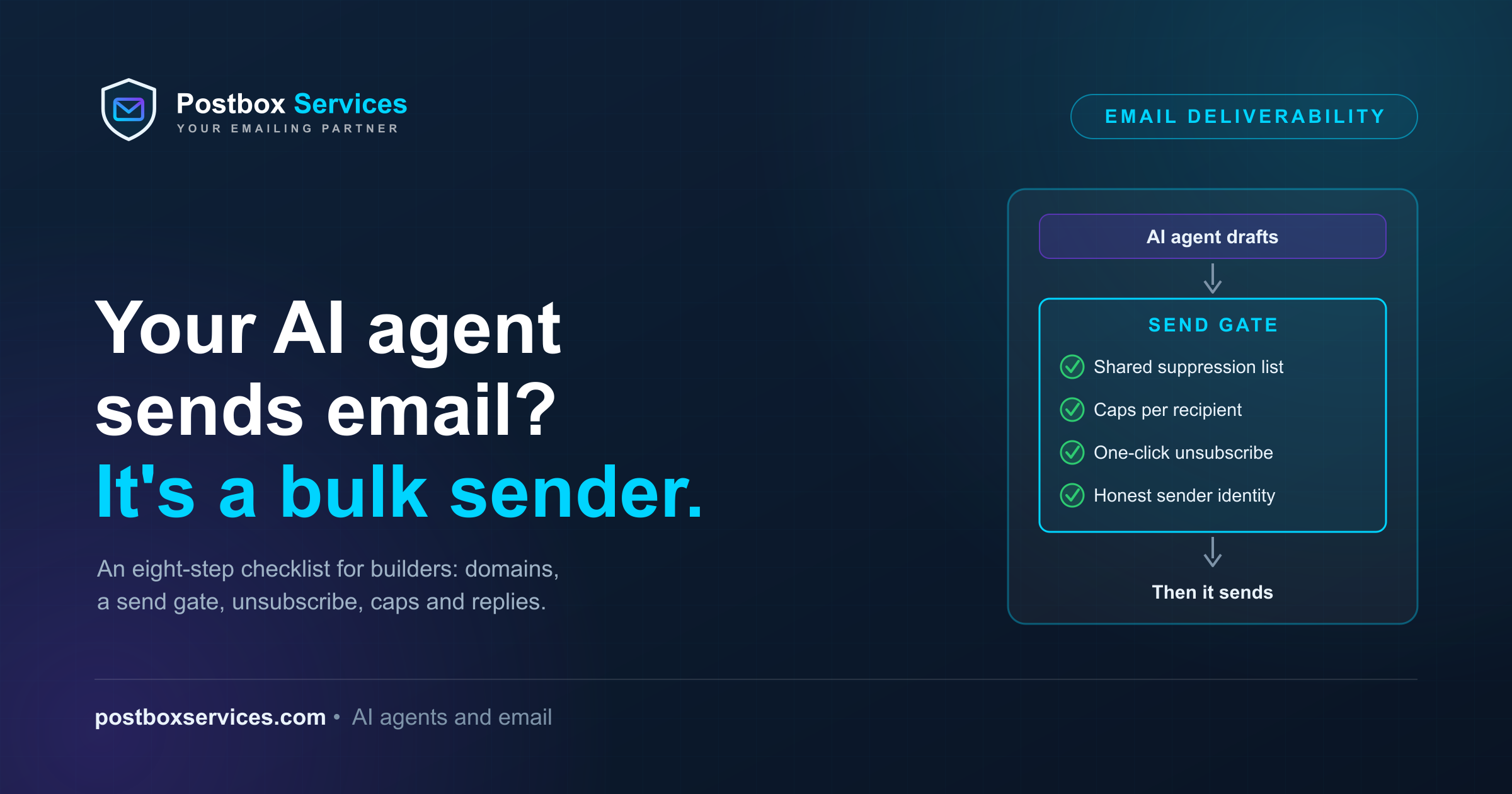
Do not give the agent SMTP credentials or an email API key. Give it a tool such as request_send(to, subject, body) that calls your own send gate: a small service that is the only thing allowed to send. The agent drafts; the gate decides. Every check in the rest of this post lives in the gate:
| Check in the gate | What it stops |
|---|---|
| Recipient on the shared suppression list? | Mailing people who opted out, bounced or complained |
| Per-recipient and per-domain caps reached? | The "40 emails in a week" pattern |
| Required headers and footer present? | Missing unsubscribe, missing sender identity |
| Sender identity real and consistent? | Spoofed or misleading From and Reply-To |
| Daily volume for this sending domain? | Sudden spikes that look like a compromised account |
If a check fails, the gate refuses and tells the agent why. The agent can then pick someone else or stop. It cannot talk its way past the gate.
3. Keep one suppression list for every agent you run
The most expensive gap in the iLands episode was the simplest: no shared memory of who had said no. Your suppression list should:
- Cover every agent, every persona and every sending domain you operate. One opt-out stops all of them.
- Take input from four places: unsubscribe clicks, "stop" or "remove me" replies, hard bounces and spam complaints (from feedback loops where a provider offers one).
- Be checked by the gate on every send, not loaded into the agent's context where it can be summarised away.
- Never be emptied to free up a bigger audience.
4. Add one-click unsubscribe the way RFC 8058 defines it
Google requires one-click unsubscribe on marketing and subscribed mail from bulk senders, plus a clearly visible unsubscribe link in the body. Cold outreach from an agent is marketing mail. The headers look like this:
List-Unsubscribe: <https://outreach.yourcompany.com/u/8f3a91c2>, <mailto:[email protected]?subject=unsubscribe>
List-Unsubscribe-Post: List-Unsubscribe=One-Click
The details that trip people up, all from RFC 8058:
- The
List-Unsubscribeheader must contain an HTTPS URI. A mailto link alone is not one-click. - Both headers must be covered by your DKIM signature. If they are not, mailbox providers will not show the one-click option.
- The unsubscribe POST arrives with no cookies and no login, so the token in the URL must identify the recipient by itself, and your endpoint must process it without asking for a confirmation step.
Google expects unsubscribe requests honoured within 48 hours. In the US, CAN-SPAM's limit is 10 business days. With a gate and a shared list, you can honour them before the next send.
5. Enforce caps in code, not in the prompt
Choose numbers that fit your use case and enforce them in the gate:
- Per recipient: a maximum number of messages per recipient without a reply, with a minimum gap between them. When the limit is reached, the contact is closed for every agent.
- Per recipient domain: a ceiling on how many people at one company or university your agents contact in a day. Ten agents each sending "just one" email to the same department reads as a campaign.
- Per sending domain: a daily volume limit that grows slowly as complaint rates stay low. A new subdomain that jumps from zero to thousands overnight looks like abuse.
6. Read replies like a mail system, not like a chatbot
Once an agent can read its inbox, it will meet three kinds of message it must not answer with a pitch:
- Opt-outs in plain words. "Stop", "not interested", "remove me" and their equivalents go straight to the suppression list. When unsure, treat it as an opt-out.
- Automatic replies. RFC 3834 says automatic responses should not be sent to any message whose
Auto-Submittedheader has a value other thanno. Out-of-office notices and other autoresponders usually carry it. An agent that answers an out-of-office reply with another pitch can start a loop with another bot. - Bounces. A permanent failure (a 5xx SMTP code such as 550 "user unknown") means that address goes on the suppression list. Our SMTP error codes guide explains which codes are permanent.
7. Be honest about who is sending
Content filters have less to work with when every message is freshly written, so mailbox providers lean on identity. Make yours easy to check:
- A real From name and address, consistent across messages, and a Reply-To someone (or something) actually reads.
- Say it is an AI agent, and who runs it. Recipients who know what they are dealing with complain less than recipients who feel tricked.
- For commercial email to US recipients, CAN-SPAM applies whoever wrote the message: no false or misleading header information, no deceptive subject lines, a clear opt-out, a valid physical postal address, and opt-outs honoured within 10 business days. The FTC also says you cannot contract away responsibility: a company whose agents send on its behalf is still responsible. Each non-compliant email can cost up to $53,088 under the FTC's compliance guide. Other countries have their own rules, many stricter; check with counsel before sending outside the US.
8. Test before you scale, then watch the numbers
- Test real output. Have the agent send a real message to the free Postbox Mailtester and confirm SPF, DKIM and DMARC pass, the List-Unsubscribe headers are present and DKIM-signed, and nothing in the content triggers filters. Repeat whenever you change the prompt or the sending setup.
- Let the agent check itself. Through our MCP server, an agent can run blacklist, spoofing and spam tests on its own domain and messages. See how deliverability checks work from inside an AI assistant.
- Watch the spam rate Gmail measures. Google Postmaster Tools shows it. Google's guidance is to stay below 0.1% and never reach 0.3%; if you are already above, see how to bring a Gmail spam rate down.
- Watch who sends as your domain. DMARC aggregate reports, which you can read in the free Postbox DMARC Monitor, show every service sending under your name, including an agent someone set up without telling you.
Does cold outreach from an agent even work?
Evidence so far says: rarely. One iLands agent told WIRED it had sent about 19 cold emails over three months, for one human reply and no paid work. The work it did get came from people who found its published samples. That is one self-reported example, not a study, but it matches what deliverability data says about cold email from any sender: the mail that gets results is mail recipients want, from a sender they can identify and easily stop. Build the gate first and the outreach second.
Frequently Asked Questions
Is an AI agent that sends email a bulk sender?
Under Google's definition, any sender that sends close to 5,000 messages in 24 hours to personal Gmail accounts is a bulk sender, counting the main domain and its subdomains together, and the status is permanent. Whether a person or a model wrote the messages makes no difference. Even below that volume, Gmail's all-sender rules (SPF or DKIM, PTR records, TLS, a spam rate below 0.3%) apply.
Can I just tell the agent not to spam people?
You can, but an instruction in a prompt is not a control. In the iLands episode, some agents sent the same pitch again after saying they would not follow up. Limits and opt-outs have to live in the code that sends the mail, where the agent cannot override them.
Does one-click unsubscribe apply to cold outreach?
Google requires one-click unsubscribe for marketing and subscribed messages from bulk senders, and unsolicited sales outreach is marketing mail. In the US, CAN-SPAM also requires a working opt-out in every commercial email. Adding the RFC 8058 headers from the first send costs little and removes a common reason for spam complaints.
Should my agent tell people it is an AI?
We recommend it. Recipients who know an agent wrote the message, and who runs it, are less likely to feel misled and report it as spam. Separately, laws such as CAN-SPAM forbid misleading header information and deceptive subject lines, whoever wrote them.
How do I stop two of my agents emailing the same person?
Use one suppression list and one contact history for every agent, checked by a single send gate before every message. Per-recipient caps in that gate close a contact for all agents once the limit is reached.