How to Run a Spam Test or Email Deliverability Audit from ChatGPT, Claude & Grok - 8 Real Examples
Have you ever wanted to run a spam test straight from your AI: to ask Claude whether your email is set up to land in the inbox, or whether your domain is on a blacklist? The catch is that an AI assistant cannot reliably determine your current DNS, blacklist or email-delivery state from model knowledge alone. Give it a live diagnostic tool, though, and it can check the evidence instead of guessing. Connect one MCP server to your assistant, whether Claude, ChatGPT or Grok, and ask exactly those questions. It stops guessing and starts measuring: it runs the real check, then answers from live data with a link to the full report.
Here are eight real examples, one per tool: the prompt you type, and the answer that comes back.
Update, 5 November 2026: two more tools have joined the server since we wrote this: check_bimi and check_ai_discoverability. The eight examples below still work as shown. The full list of 10 tools is on the setup page.

New here? Connecting takes about two minutes and needs no account. See the setup guide for Claude, ChatGPT, Grok and Cursor. Everything below assumes the server is connected.
What is actually happening: the AI is not performing the test itself. When you ask, it picks the right Postbox Services tool; our server runs the live DNS, blacklist, SMTP, WHOIS, redirect or message analysis and returns structured results; the AI then explains those results in plain language. Postbox is the measurement layer, the assistant is the interface. ChatGPT, Claude and Grok are not deciding your deliverability, they are calling a tool that measures it.
The eight tools map to eight questions:
| # | Ask your AI | What Postbox checks |
|---|---|---|
| 1 | Is this IP blacklisted? | IP blacklist (24 lists) |
| 2 | Is this domain blacklisted? | Domain blacklist |
| 3 | Can someone spoof my domain? | Spoofing / BEC exposure |
| 4 | Where does this URL really go? | Redirect trace |
| 5 | Run a spam test | Full deliverability audit |
| 6 | Why did this email bounce? | Raw .eml analysis |
| 7 | How old is this domain? | Domain age |
| 8 | Who owns this domain? | WHOIS |
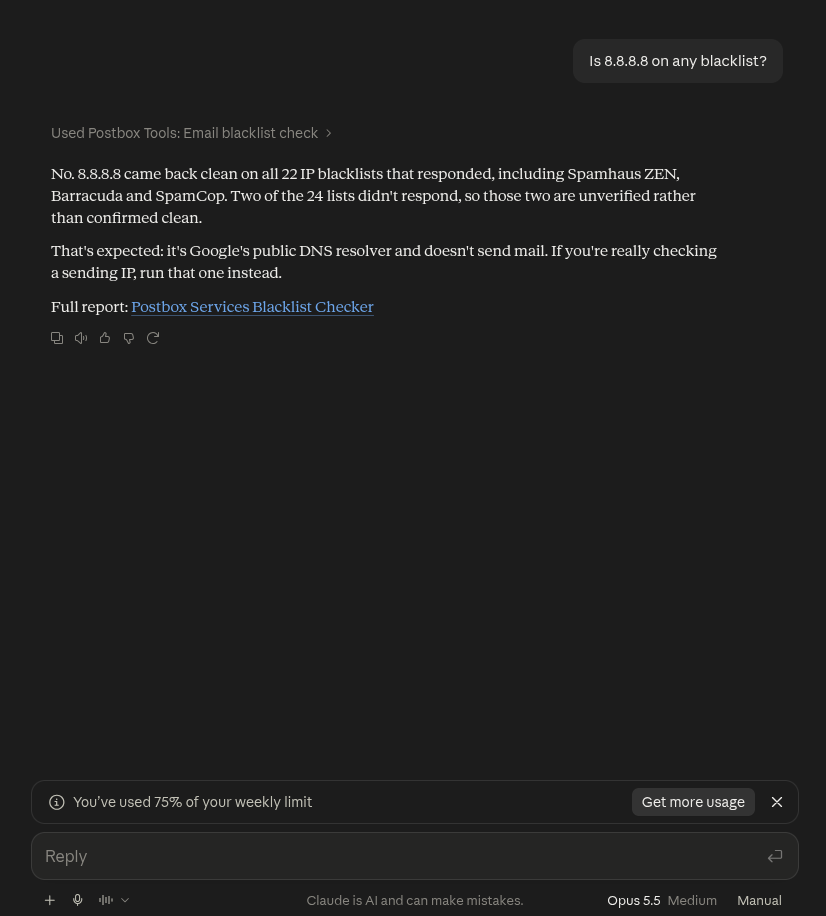
Am I on an email blacklist?
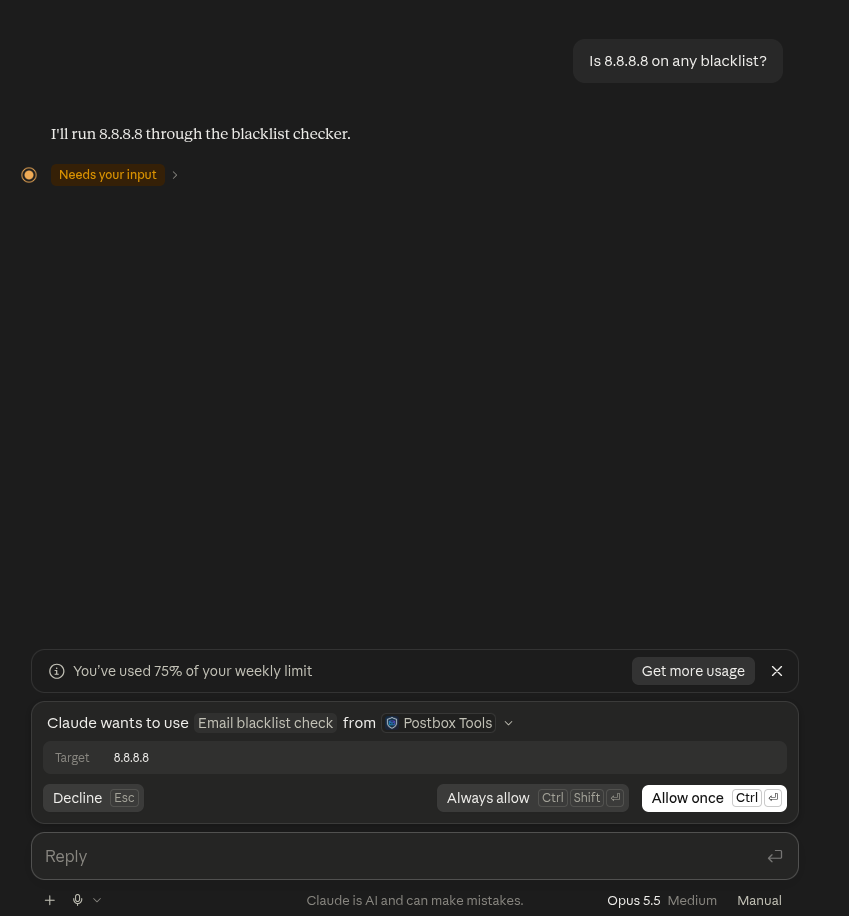
The flagship check. Ask in plain words and your assistant calls the blacklist tool. The first time a tool runs, the AI asks your permission: approve it once, or set the read-only checks to always-allow for smoother sessions.
Now a domain that is listed, using Spamhaus's own permanent DBL test entry, so the “listed” result is real and expected:
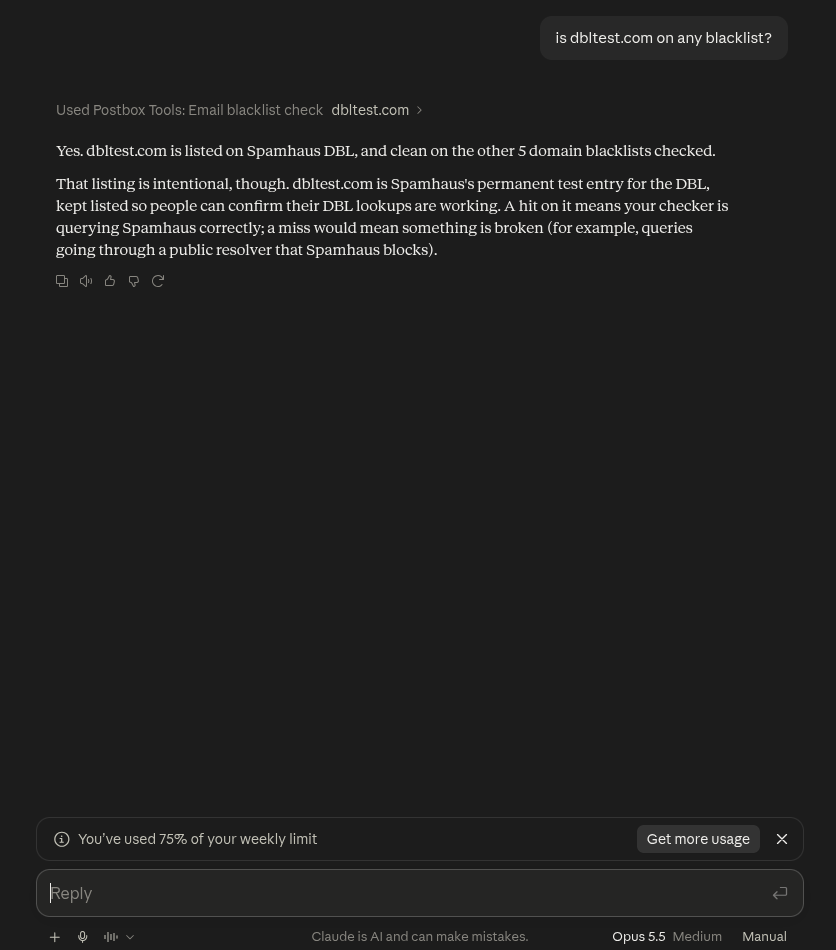
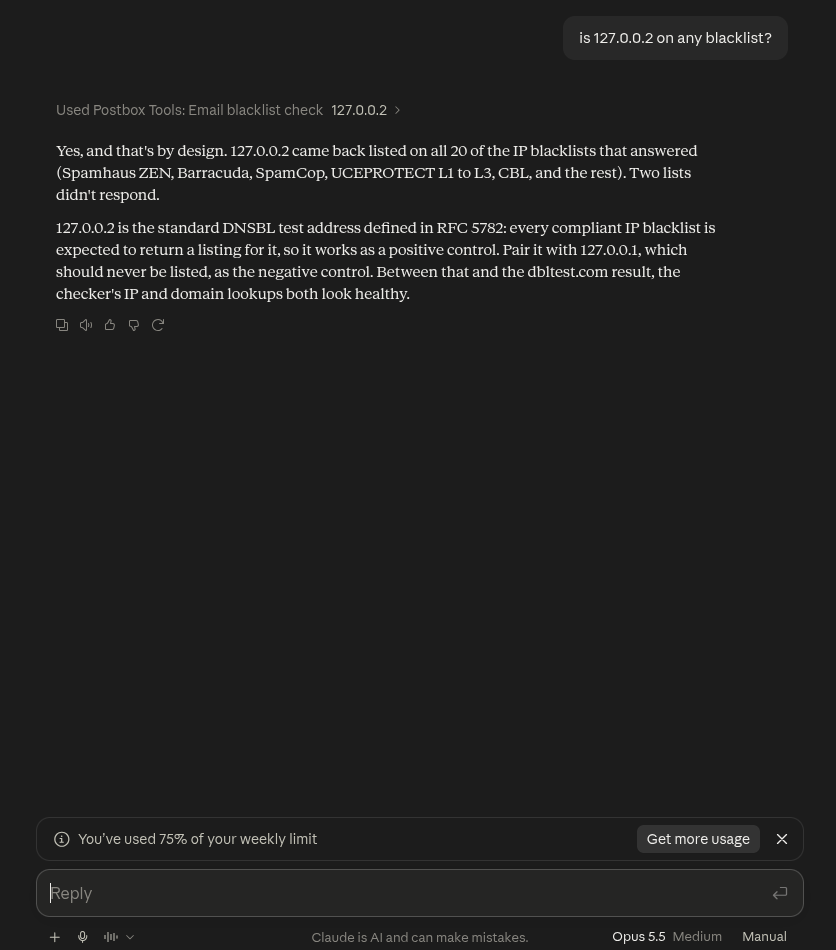
Full report: Postbox Blacklist Check
Could someone spoof my domain?
The spoofability check grades a domain A to F from its public DNS: SPF, DMARC policy strength, alignment and live lookalikes. Two contrasting real results tell the story:
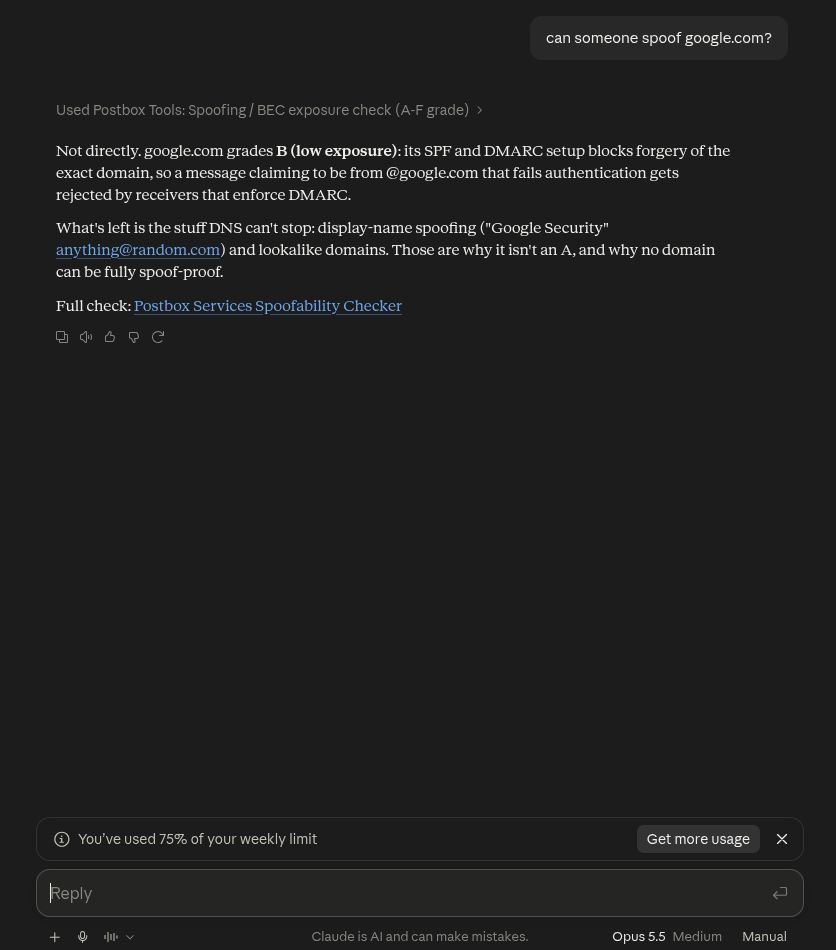
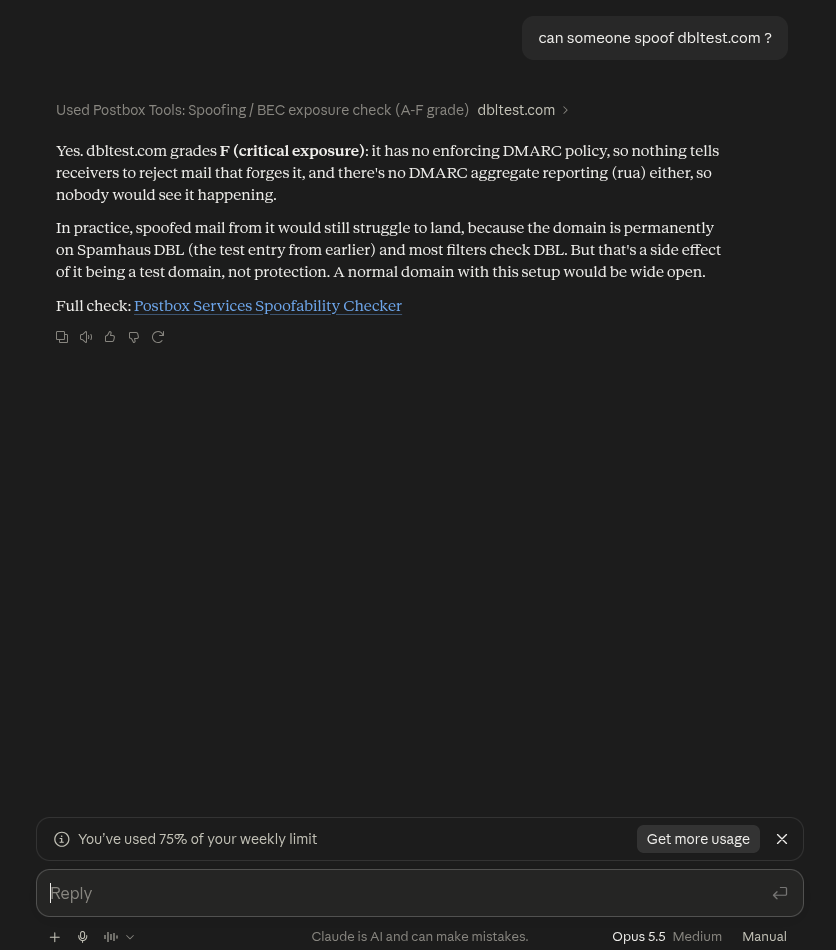
Full report: Postbox Spoofing & BEC Check
Where does this link really go?
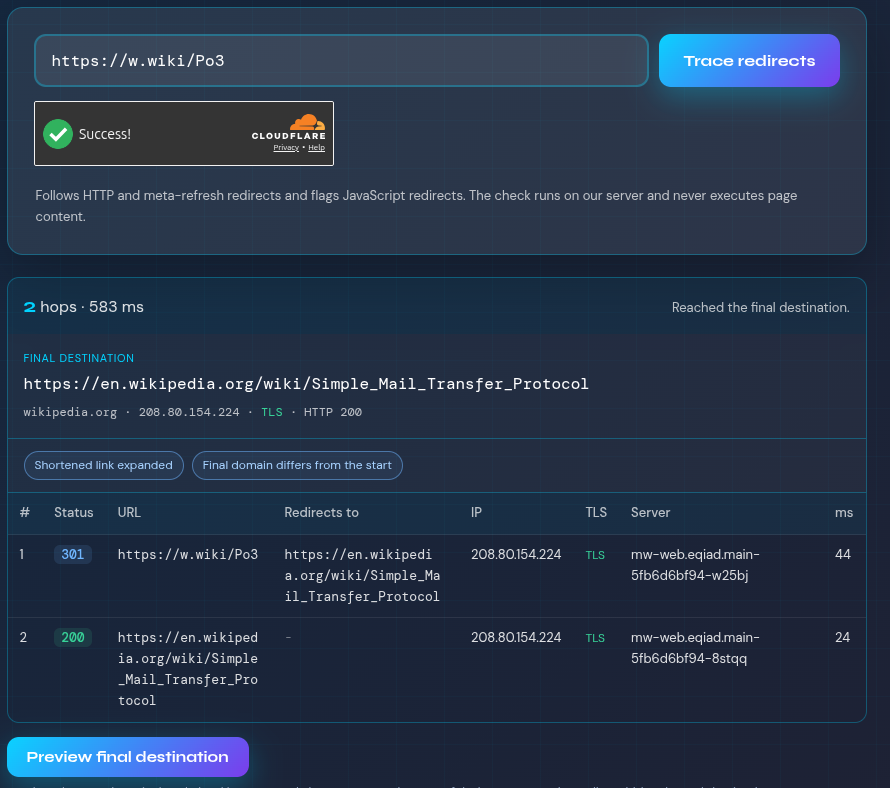
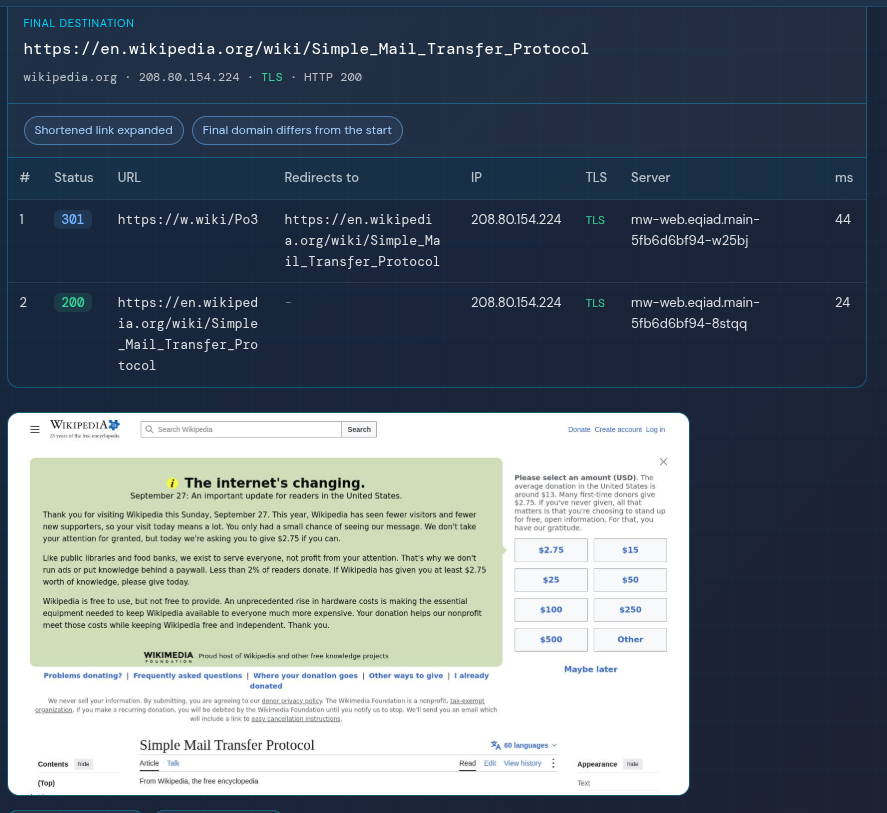
Paste any shortened or suspicious link and the tracer follows every hop server-side to the real destination, flagging shorteners, cross-domain jumps and downgrades, without your AI (or you) ever visiting the page.
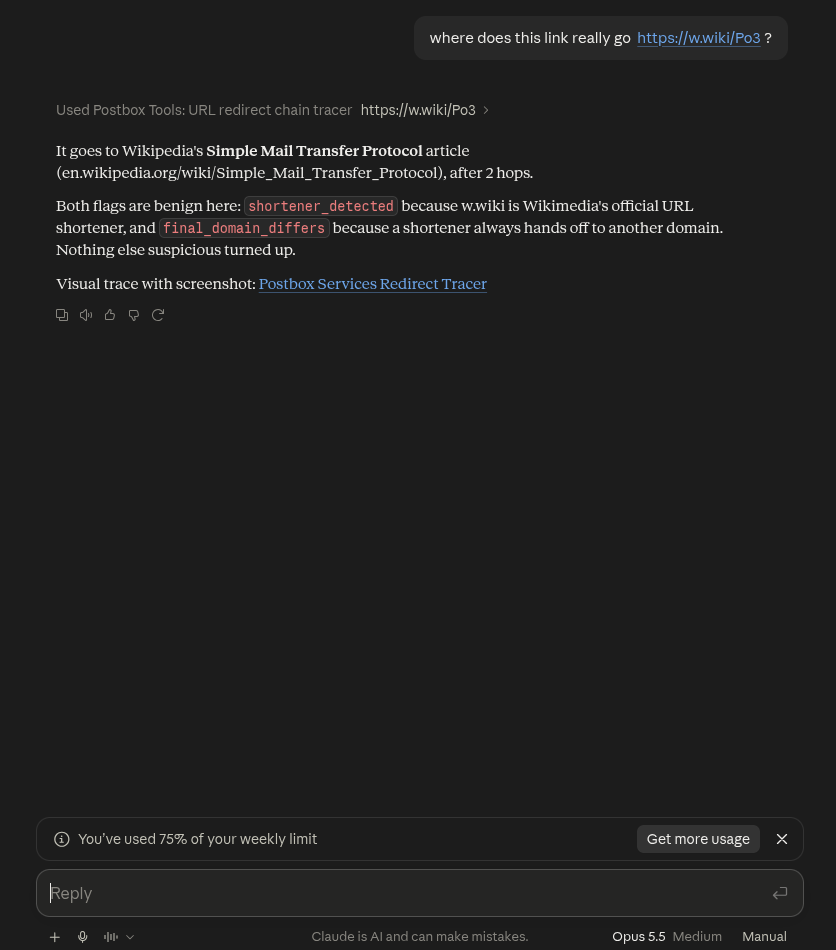
For the full picture, the answer links the web report: the complete hop chain with status, IP and TLS at each step.
Full report: Postbox Redirect Checker
Run a full spam test or an email deliverability audit
This one is interactive: the tool mints a disposable test address, you send a real email to it from the system you want to test, then ask for the score. Nothing happens until you send: the AI cannot send mail for you.
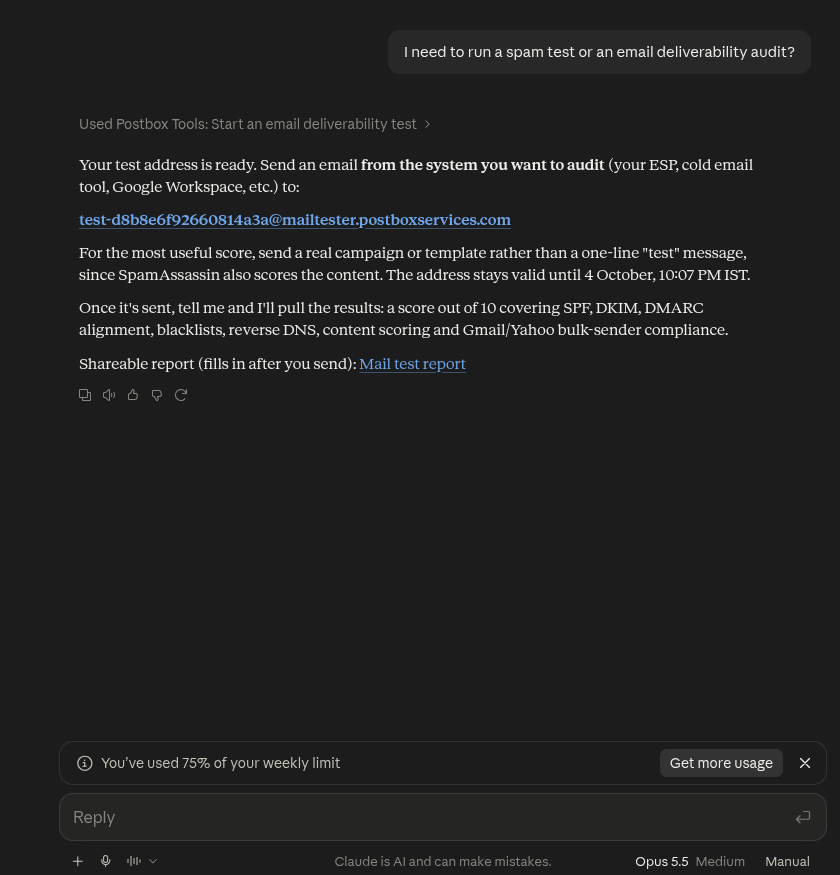
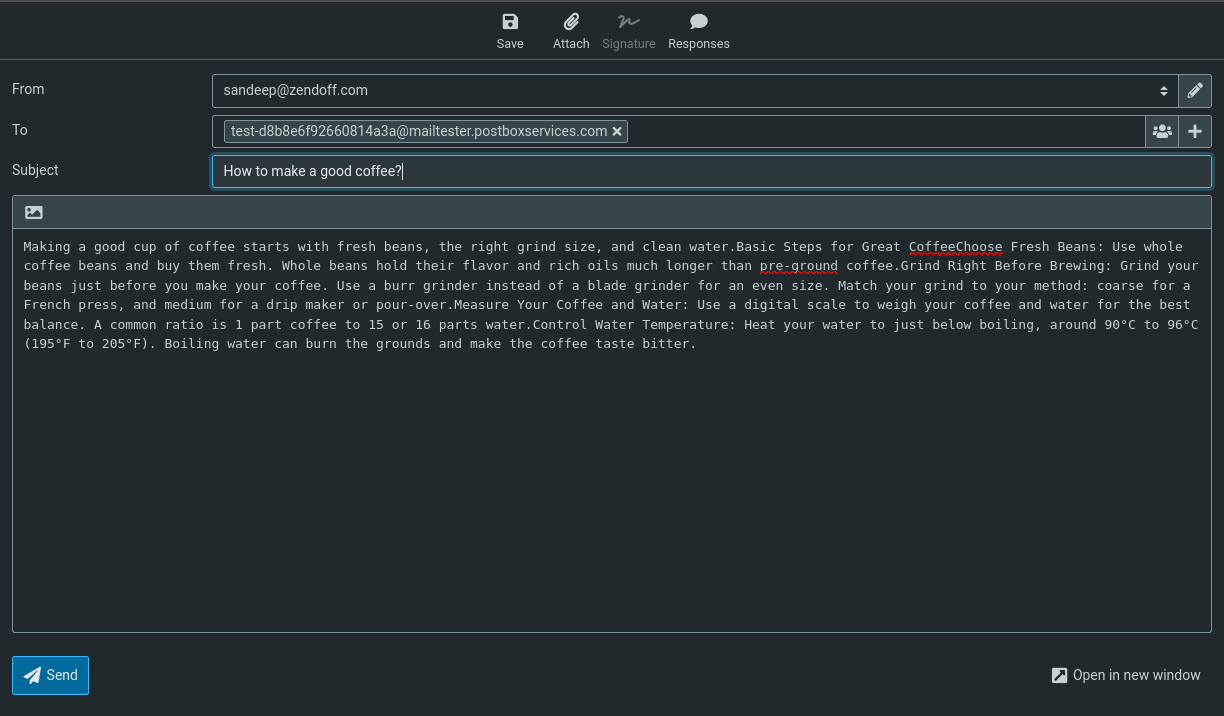
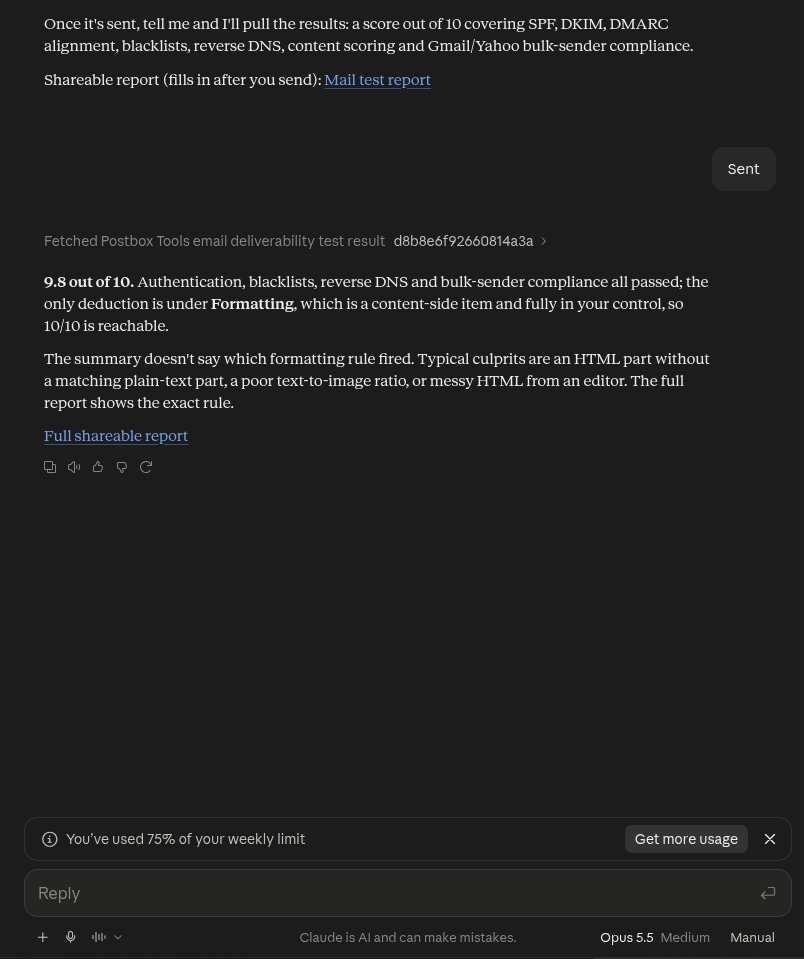
The chat gives the summary; the shareable web report gives every detail.
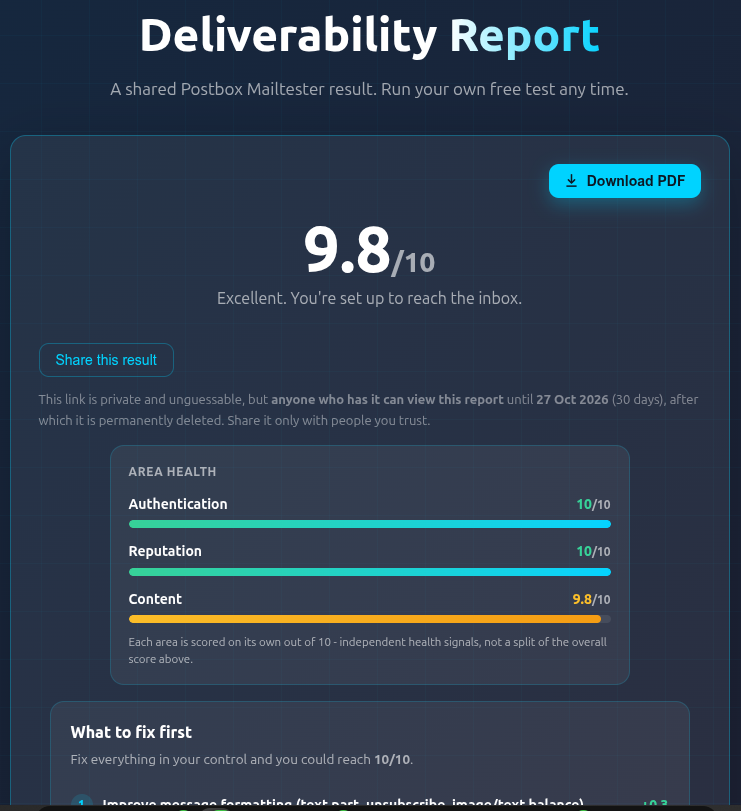
Full report: Postbox Mailtester
Why did this email bounce?
Have a raw .eml file, like a bounce notice? Attach it and the analyzer reads the headers and tells you what happened, in plain words.
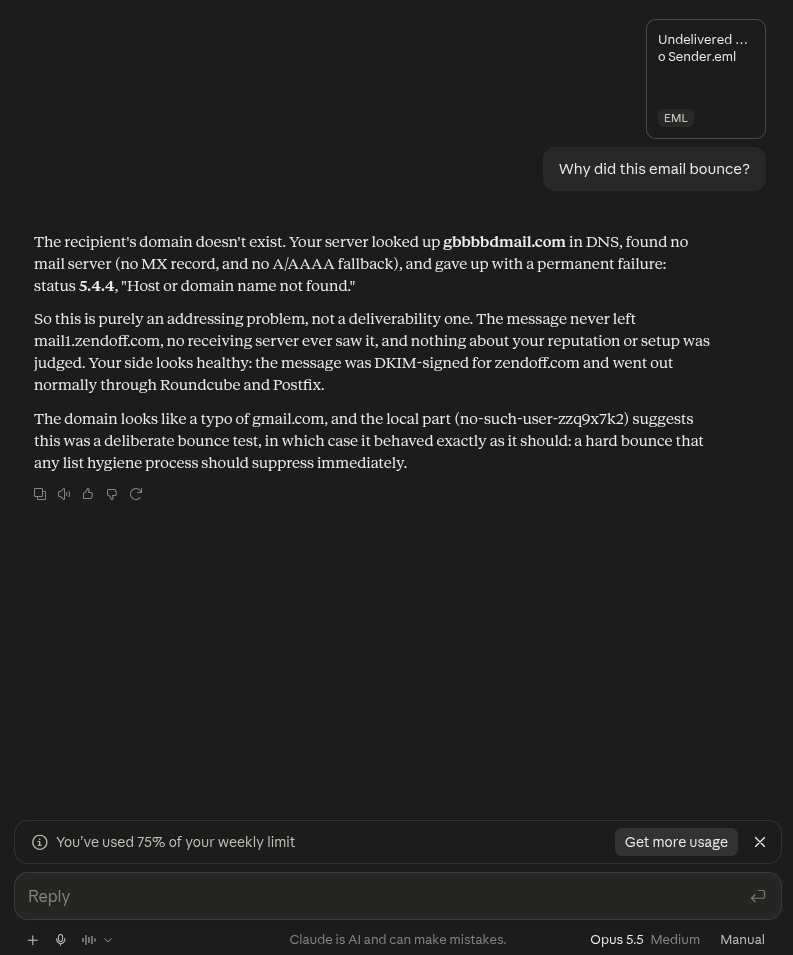
The same tool also reads a normal message's headers and content to explain why it might land in spam. (From a file, SPF, blacklist and reverse DNS cannot be verified live; for the authoritative score, use the spam test above.)
Full report: Postbox Mailtester
How old is a domain, and who owns it?
Quick reputation and registration context, useful when vetting a sender or a lookalike.
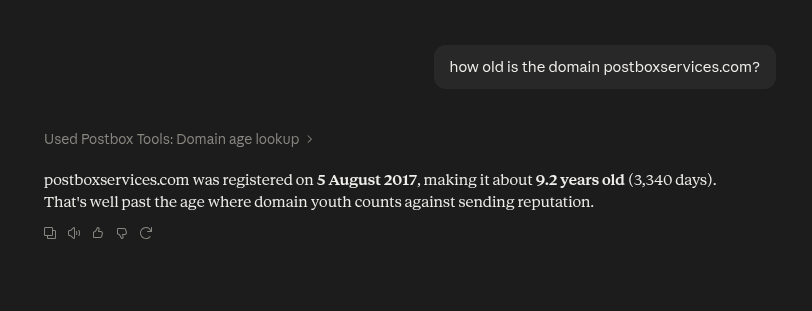
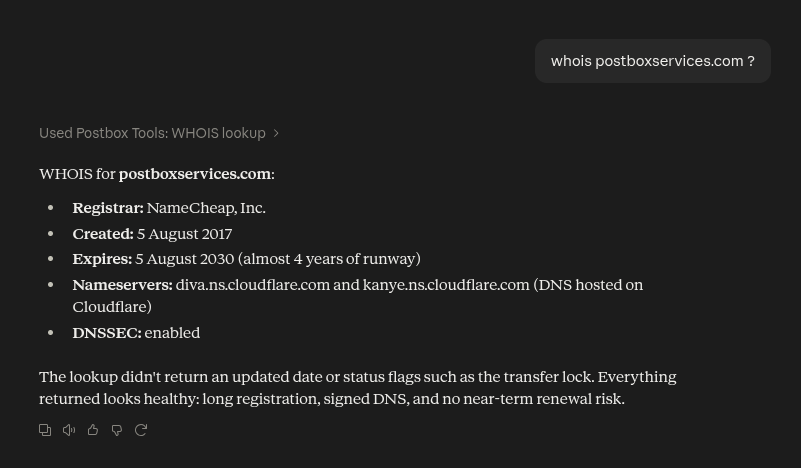
Full report: Postbox Mailtester
Eight tools, one conversation
That is eight free checks, all driven from a normal chat. Connect the server once and your assistant can run any of them whenever you ask: live data instead of a guess, every time, with a link to the full report behind each answer.
Found something to fix? A full deliverability audit is what we do all day. See how it works or talk to an expert.
Frequently Asked Questions
Do I need to install anything?
No. You connect the Postbox Services MCP server to your assistant once, about two minutes, no account. The setup guide covers each app.
Which AI assistants work with it?
Claude (web, desktop and Code), ChatGPT, Grok, Cursor, and any client that speaks remote MCP over Streamable HTTP.
Is it really free?
Yes, and no account or API key. Fair-use limits (per-client rate limits and daily ceilings) keep the free service fast for everyone.
Are my checks private?
We see only the check input, a domain, IP, URL or .eml file, plus standard request metadata. Email files are processed in memory and never stored, result caches are automatically purged, and logs hold metadata, not message content. Full policy on the setup page.
Can't the AI just answer without the tool?
It can try, but it would be guessing: your DNS records and blacklist status are not in any training set. With the tool connected it measures instead of remembering. That is the whole point.