How to Read Email Headers to Spot Phishing and Spoofing
A convincing phishing email has two layers. The part you see - the sender name, the logo, the tone - is trivial to fake. The part you do not see, the headers, is much harder to forge cleanly, because mail servers stamp their own evidence into every message as it travels. Learn to read that evidence and most spoofing falls apart in about thirty seconds.
This guide is written for the practical case: you have a suspicious email in front of you and you want a defensible answer to "is this real?" We will keep the jargon to what you actually need.
Step 1: Get the raw headers
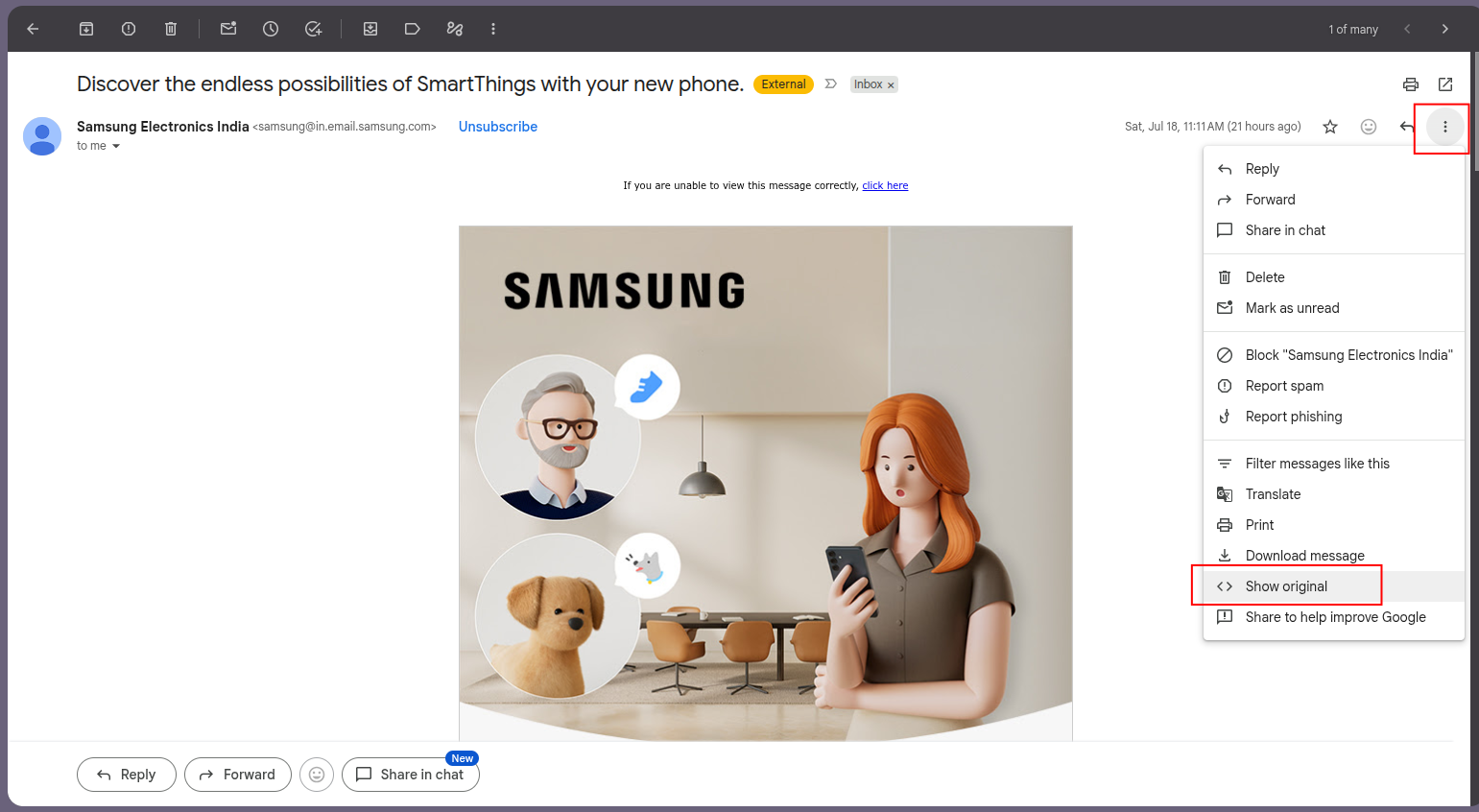
You cannot see headers in the normal reading pane. You have to open the original source:
- Gmail: open the message, click the three-dot menu, then Show original.?
- Outlook (desktop): double-click the message to open it, then File, Properties, and read the Internet headers box.
- Apple Mail: select the message, then View, Message, Raw Source.
What you get is a block of text. Read it from the bottom up - the oldest information (the true origin) sits at the bottom, and each server that handled the message adds its stamp on top.
Step 2: The five things that give a spoof away
1. Authentication-Results - the verdict line
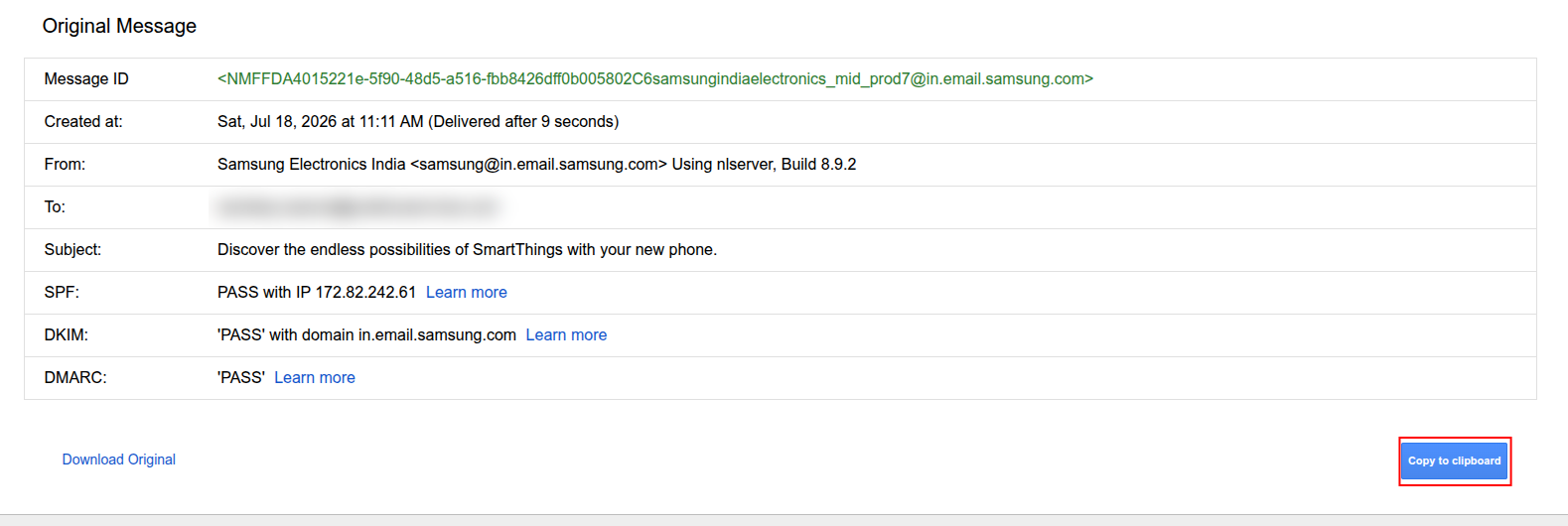
This is the single most important header. It is the receiving server's own summary of whether the message passed SPF, DKIM, and DMARC - the three checks that prove a sender is authorised to use that domain.
Here is a real, legitimate message - Gmail's "Show original" view of a marketing email from Samsung:
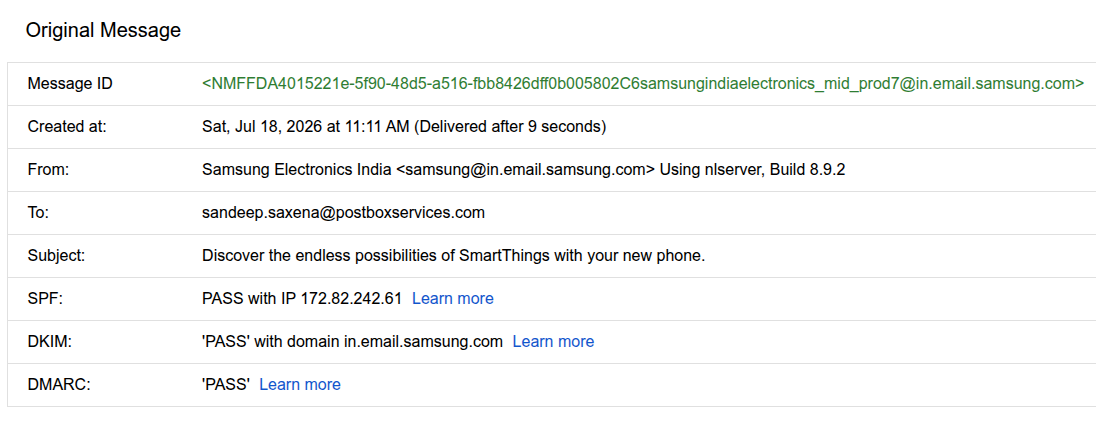
Under that friendly summary, the raw header says the same thing - spf=pass, dkim=pass header.d=in.email.samsung.com, dmarc=pass. On a spoof you will instead see spf=fail, dkim=none, or dmarc=fail. A failure here is your loudest alarm.
2. From vs Return-Path - the envelope mismatch
The From header is what you see. The Return-Path (the envelope sender) is where bounces actually go, and it is what SPF checks. On a legitimate message these belong to the same organisation. On a spoof, the From says your bank while the Return-Path points at some throwaway domain.
3. Display-name and lookalike tricks
Two of the most common cons live entirely in the From line. Display-name spoofing puts a trusted name in front of an unrelated address - "PayPal Support" <[email protected]>. Lookalike domains swap a character so it reads right at a glance - [email protected] (the number one for a letter l). DMARC on your real domain does not stop these cousin domains, which is why they are worth checking by eye.
4. The Received chain - where it actually came from
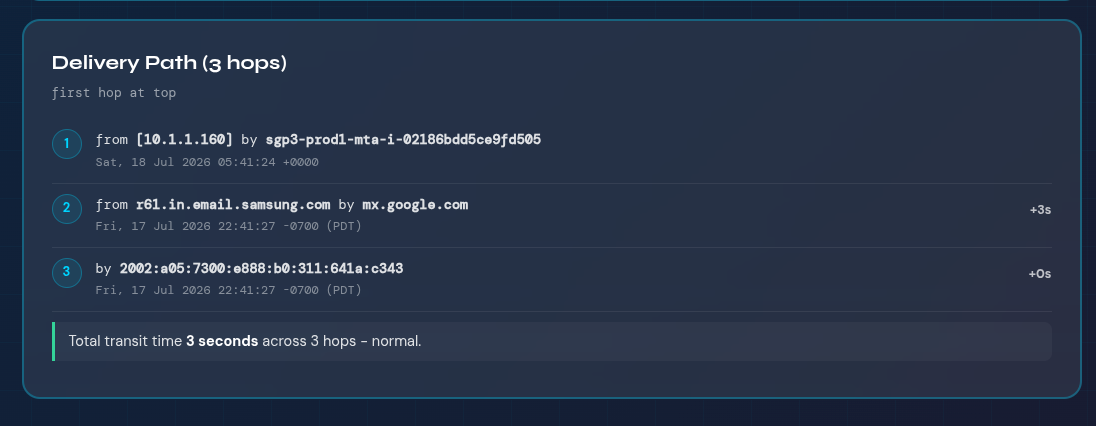
Each Received line records a hop. In the raw headers the bottom-most one is the true origin. Ask: does that server IP and hostname belong to the company it claims to be? A message "from your CEO" that originated on an unknown virtual server in another country is not from your CEO.
5. Reply-To redirection
A Reply-To that differs from the From address quietly sends your reply somewhere else. In business email compromise (BEC), the From is spoofed to look internal while Reply-To points at an attacker-controlled inbox, so your "sure, what are the bank details?" goes straight to them.
A real spoof, pulled apart
Here is a trimmed set of headers from a classic CEO-fraud attempt. Five things are wrong. See how many you can spot before reading the legend.
The lesson hiding in flag 4: DMARC caught this spoof, but the domain was published at p=none (monitor only), so the receiver delivered it anyway. Moving to p=reject is what actually stops it - and you cannot move safely without watching the reports first.
Your 30-second red-flag checklist
Treat a message as suspect if any of these are true:
- Authentication-Results shows spf=fail, dkim=none, or dmarc=fail for the From domain
- The Return-Path domain does not match the From domain
- The From display name and the actual email address belong to different organisations
- The From domain is a near-miss of a real one (swapped or added characters)
- The oldest Received hop is an IP or host with no connection to the claimed sender
- Reply-To points somewhere other than the From address
- The message pairs any of the above with urgency, secrecy, or a money or credentials request
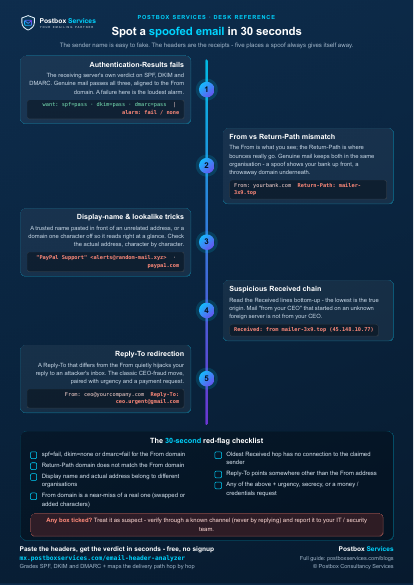
Free printable · A4
Take the checklist to your desk
A one-page cheat sheet with the 5 spoof giveaways and the 30-second red-flag checklist. Print it and stick it where you read email.
Do it automatically
Paste the headers, get the verdict in seconds
Our free Email Header Analyzer reads the Authentication-Results for you, grades SPF, DKIM and DMARC, and lays out the delivery path hop by hop with the delays. No signup, nothing to install.
Open the Header AnalyzerStop the spoof at the source, not just in the inbox
Reading headers tells you whether one message is fake. Fixing the underlying exposure stops attackers from ever passing as your exact domain again. Three free tools cover the rest of the picture:
When it is more than one email
If you are seeing a pattern - repeated impersonation, staff receiving convincing fakes, or you simply want your domain locked down so attackers can no longer pass as your exact domain - that is what we do. Postbox Services has set up email authentication for more than 500 businesses. Book a free consultation and we will take a look at your setup.
How to copy your email headers from Gmail
×
Outlook: File, Properties, Internet headers. Apple Mail: View, Message, Raw Source.