Real vs Bot Opens and Clicks: Spot Fake Email Engagement
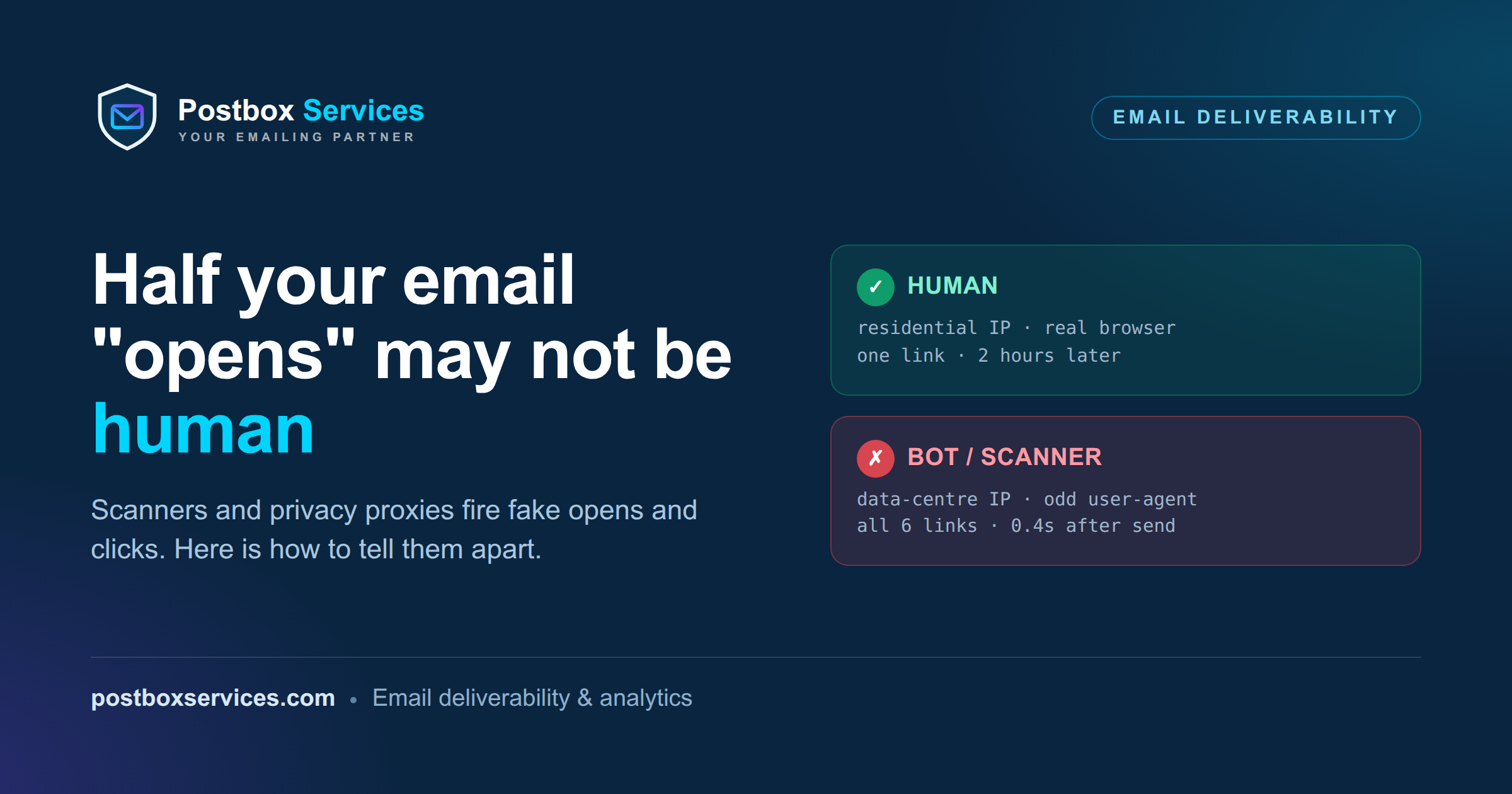
Your email open rate says 55%. Your click rate looks fantastic. And a good chunk of it never happened. Security gateways and privacy proxies open your emails and click your links automatically, before a human ever sees them - so your metrics are inflated, your automations misfire, and real people get lost in the noise. This post explains what is really generating those bot opens and clicks, the signals that separate a human from a machine, a quick lab to see it in your own data, and what to actually do about it.
First, how an “open” is actually measured
Email has no built-in “this was read” signal, so senders infer it with a tracking pixel: a tiny image - typically 1x1 pixel and fully transparent, invisible to the human eye - embedded in the message with a unique URL for each recipient. When a mail client displays the email, it fetches that image from the sender’s server, and that single fetch is logged as an “open.” (Clicks work the same way: your links route through a tracking URL that records the click before redirecting to the real page.)
The catch is right there in the mechanism. An “open” is not “a person read this” - it is “something loaded the image.” So any software that fetches images on the recipient’s behalf - a security scanner checking the message, Apple’s privacy proxy pre-loading it, Gmail’s image cache - trips that pixel and counts as an open, with no human involved at all. Once you see opens as image loads, the inflated numbers stop being a mystery.
Who is really opening your email
Two very different machines touch your email before (and instead of) a person:
- Security gateways. Products like Proofpoint, Mimecast, Barracuda, and Microsoft Defender for Office 365 (“Safe Links”) sit in front of the inbox and pre-scan every message: they load the tracking pixel (an “open”) and follow every link to check it for malware (a “click”) - often within seconds of delivery, and often clicking all of them, including your unsubscribe link.
- Privacy proxies. Apple Mail Privacy Protection pre-fetches and caches your images through Apple’s servers, so every message registers as “opened” whether or not anyone read it. Gmail fetches images through its own image proxy too.
- Endpoint and network security. Antivirus and endpoint-protection software, and some mobile carriers, also fetch links to vet them before a person taps - more machine traffic that lands as engagement.
- AI assistants (emerging). AI tools are a large and fast-growing source of non-human traffic, and when someone forwards an email or hands a link to an assistant, its fetcher (OpenAI’s ChatGPT-User, Anthropic’s Claude-User, and similar) can trip your pixel or tracking link. A smaller slice than the gateways today, but one to watch as adoption grows.
None of that is malicious. But all of it lands in your reports as engagement.
Why it actually costs you
Inflated opens and clicks are not just vanity-metric noise. They corrupt the decisions you make on them: automations that fire on "clicked = interested" trigger for a scanner; A/B tests pick the wrong winner; your "engaged" segment fills with bots while real quiet subscribers get mailed the wrong way; and a scanner clicking the unsubscribe link can silently opt a real person out. Bad engagement data leads to bad sending, and bad sending hurts deliverability.
The tells that separate humans from machines
No single field is proof - a good scanner can fake any one of them. The reliable signal is the combination. Here are the tells, strongest first.
1. Timing
Scanners fire within seconds of send, often before a human could plausibly open the message - and frequently at the same instant across many recipients (a gateway scanning a batch). A real person opens minutes to days later, scattered across time. An “open” 0.8 seconds after send is not a person.
2. The clicking pattern
A gateway checking a message clicks every link at once - including links a human would never touch, like the unsubscribe and any hidden ones. A real reader clicks one or two links, if any. “All links, same timestamp” is one of the clearest bot fingerprints there is.
3. The IP address
Real people open from residential or mobile networks (their ISP or phone carrier). Scanners open from data centres - cloud and hosting providers (AWS, Google Cloud, Azure), or the published ranges of the security vendors themselves. You can tell them apart by the network that owns the IP (its ASN) and its reverse-DNS name. Apple Mail Privacy opens arrive from Apple’s relay ranges. A dead giveaway at the domain level: one IP (or a small set) registering activity for many different recipients at the same company, all within the same second - that is a single corporate gateway scanning a batch.
4. The user-agent
Every click carries a user-agent string naming the software. Automated clients often give themselves away: a scripting library (python-requests, curl, Go-http-client), an empty user-agent, or an image proxy (GoogleImageProxy). The catch: a user-agent is trivially faked, so a savvy scanner just says “Chrome.” Treat it as a supporting signal, never the sole one.
5. Geography
Opens from countries where you have no subscribers, or that do not match a recipient’s known location, are a flag - especially a cluster of them from a single data-centre region.
6. What happens after the click
This is the most decisive test, and you already have the data. A real click leads somewhere - a website session, a few page views, some scroll, maybe a form fill or a purchase. A scanner’s click leads nowhere: it fetches the redirect and stops. So compare your email click count (via UTM tags) against the actual sessions in your website analytics. A wall of “clicks” with almost no matching sessions - “dark clicks” - is bots, and this works even if you have no access to the raw open/click events.
Human vs bot, at a glance
| Signal | Real human | Bot / scanner |
|---|---|---|
| When | minutes to days later, scattered | seconds after send, often identical across recipients |
| Links clicked | one or two, if any | every link at once, unsubscribe included |
| IP | residential / mobile (ISP, carrier) | data centre / cloud / vendor range / Apple relay |
| User-agent | a real browser | library, empty, image proxy - or a spoofed browser |
| Geography | matches your list | mismatched, or clustered in a data-centre region |
| Opens vs clicks | usually opens, then maybe a click | often a click with no genuine “read” first |
| After a click | a real website session - pages, scroll, a conversion | nothing - the redirect is fetched, then silence |
The trick is to stack the signals. One data-centre IP might be a person on a corporate VPN; one instant open might be a coincidence. But a data-centre IP and a click 0.4 seconds after send and every link at once is about as bot as it gets.
See it in your own data (a 2-minute check)
You do not need a tool to find the obvious bots - just your event export (opens/clicks with timestamp, IP and user-agent, which senders like SendGrid, Mailgun, Amazon SES, or your own click-redirect logs provide). Load it into a database, or a spreadsheet, and run two filters. If your events are in SQL, they look like this (Postgres syntax; adjust the interval and date functions for your database):
-- a human can't realistically open that fast - these are scanners
SELECT recipient, event_type, ip, user_agent,
       event_time - send_time AS delay
FROM email_events
WHERE event_time - send_time < INTERVAL '10 seconds'
ORDER BY delay;-- one recipient hitting several links in a single second = a gateway
SELECT recipient, COUNT(DISTINCT link_url) AS links, MIN(event_time) AS at
FROM email_events
WHERE event_type = 'click'
GROUP BY recipient, date_trunc('second', event_time)
HAVING COUNT(DISTINCT link_url) >= 3; -- botNo SQL? In a spreadsheet, add a column = event_time - send_time and filter it to under ~10 seconds for the first check; for the second, sort by recipient then time and look for the same person hitting several links in one second.
Then eyeball the IPs and user-agents on the flagged rows: data-centre IPs and library/empty user-agents confirm it. A single log line often tells the whole story:
time=+0.6s  ip=52.x.x.x (AWS, data centre)  ua="python-requests/2.31"  links=all-6
# 0.6s after send + data-centre IP + library UA + every link = scanner
What to actually do about it
- Ignore opens and clicks in the first N seconds after send (a few seconds is enough to strip the fastest scanners).
- Filter known bot IPs and user-agents - data-centre ranges, vendor ranges, Apple relay, and library user-agents. Most ESPs do some of this for you (see below).
- Require two signals before trusting engagement - for example an open followed by a later click, or a click plus an on-site action - rather than acting on a single event.
- Do not fire automations on one click. Use engagement over time, so a scanner’s single burst cannot push someone into a flow.
- Protect destructive actions - make unsubscribe and other one-click actions POST-based or confirmation-gated (RFC 8058), so a scanner’s GET cannot trigger them.
- Cross-check clicks against your web analytics. Real clicks turn into sessions; if your email click count dwarfs the matching sessions in Google Analytics, the gap is “dark clicks” from scanners.
- Watch for domain-level bursts. Many recipients at one company all “engaging” in the same second is a corporate gateway, not a suddenly-interested team.
- Treat opens as unreliable in the Apple Mail Privacy era, and weight clicks and downstream behaviour more heavily than open rate.
Better metrics to trust instead
Since opens are inflated and even clicks need filtering, shift what you optimise for:
- Filtered click-through rate - clicks with the known bots stripped out.
- Click-to-open rate (CTOR) - useful for ranking campaigns against each other even when the absolute opens are inflated.
- Reply rate - especially valuable in B2B and cold outreach; a human actually wrote back.
- Conversions and revenue attributed to the campaign - the ground truth no scanner can fake.
- Unsubscribe and complaint rates - honest negative signals that come from real people.
Set the expectation before you filter
When you start removing bots, your open and click numbers will drop - sometimes a lot. Say so in advance: that is not lost performance, it is the removal of numbers that were never real. Lower, accurate figures make far better decisions than high, fictional ones.
What your ESP already filters (and what it misses)
Most mainstream platforms - Mailchimp, HubSpot, Klaviyo and others - now filter known bots and report “cleaned” rates. That is genuinely helpful, but it has limits: they catch the well-known scanner IPs and user-agents, and they miss new ranges, spoofed browsers, and anything clever. And because they only hand you aggregate numbers, you often cannot inspect the raw events yourself. If you send through SendGrid, Mailgun, Amazon SES, or your own infrastructure, you have the per-event detail to go further - which is exactly where the signals above earn their keep.
Not sure how much of your engagement is real?
We help teams separate genuine engagement from scanner noise, so your automations, segments and deliverability decisions run on data that is actually human.
Talk to a deliverability expertFrequently asked questions
Why is my email open rate suddenly so high?
Almost always because security gateways and Apple Mail Privacy Protection are opening your emails automatically. Gateways load your tracking pixel while scanning the message, and Apple pre-fetches images for every recipient using its privacy proxy, so both register as “opens” with no human involved. Open rate has become an unreliable metric for exactly this reason.
Do bot clicks hurt deliverability?
Indirectly, yes. Bot clicks themselves are not a spam signal, but the decisions you make on inflated data are: keeping a bot-filled “engaged” segment, letting automations fire on scanner clicks, or mistaking a scanner’s unsubscribe click for a real one. Bad engagement data leads to worse targeting and sending, which is what hurts your reputation.
Is an Apple Mail Privacy open a bot open?
Not a malicious bot, but it is a non-human, machine-generated open - Apple’s proxy fetched the image whether or not anyone read the message. Treat Apple Mail Privacy opens as unreliable for engagement, and lean on clicks and later behaviour instead.
Can I tell bot clicks from real ones without a special tool?
For the obvious ones, yes - if you have per-event data (timestamp, IP, user-agent, link), you can filter opens/clicks that fired within seconds of send and recipients who hit every link at once, then confirm with data-centre IPs and library user-agents. The hardest cases (a headless browser on a residential-proxy IP) need signal-stacking and a confidence score rather than a single rule.